From Noticeboard to Public Portal: The Changing Shape of Public Notices
Find public notices through the right council portal, paper display or alert, and check who issued them, what they concern and how to respond.
You pass the library noticeboard on the way to return a book and spot a planning notice for a nearby shop. To find public notices like it, you may need to check the council portal, a paper display or both; the route depends on the issuing authority and the notice type.
Why can a notice be easy to miss?
A paper notice has a fixed address: perhaps a library, town hall, courthouse or the site affected by a proposal. It can catch the eye during an ordinary visit, but only if you pass the right place and recognise the sheet as relevant.
An online notice can be read from home, work or a phone. Yet it may sit under an unfamiliar department heading, appear without an alert or require search terms you would not think to use. A portal changes where you look; it does not necessarily make a notice prominent.
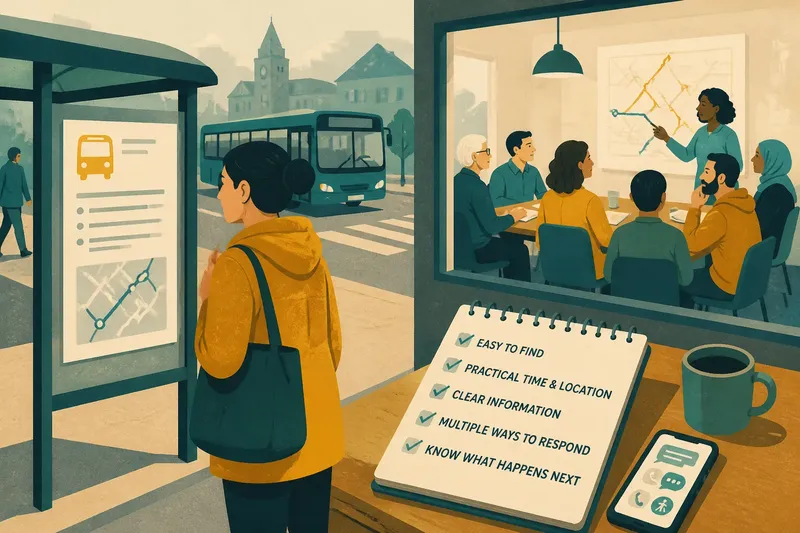
That is why public notices are best understood as records with several possible routes to readers, not as messages that automatically reach everyone concerned. A noticeboard is a little like a bus stop: useful to people who pass it, but not a substitute for knowing the route.
Which public notice channel should you try?
When is a noticeboard useful?
A noticeboard can help people who visit a familiar public building, prefer paper or have limited internet access. A display near the affected site may also make a local proposal visible to passers-by. The drawback is that readers need to know where the board is and remember to look.
What can a public portal do?
A portal can let you search by place, subject or issuing authority without visiting an office. Some sites bring notices from different services together, while others keep them within separate department pages. If you do not know which authority or search term to try, the portal may still be hard to use.
Why might both routes matter?
Paper and online publication can serve readers with different habits and access needs. A library copy, an authority’s portal listing and an email alert can each offer a route to the same notice. Check that the dates and details agree; if they do not, ask the issuing office which version is current.
Where should you look for a notice?
Start with the subject and the place affected. A council planning page may be a sensible place to look for a proposal involving a local building; a court or licensing notice may be listed by the institution responsible for it. Some notices may also be displayed at a site or public building under local procedures.
Use the authority’s own instructions to identify its official notice page. If you expect to follow a topic or neighbourhood over time, check whether the authority offers email alerts. For occasional searches, try the relevant portal; if you prefer paper or need help, ask at a library, council reception or public service desk.
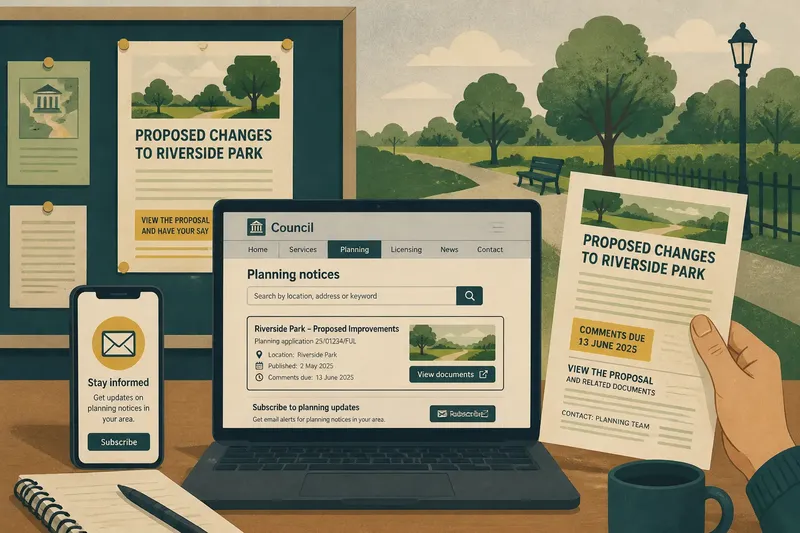
Imagine you want to follow a proposed change to a neighbourhood park. You know the park’s name but not the application title. First, you search the council website for the park name and open the planning notices page. You find a notice that names the park and links to the proposal papers, then note the stated response deadline. Next, you subscribe to planning updates and ask at the library whether a paper copy is displayed. The result is a clear route to the notice and its documents, plus a way to hear about later updates; if no paper copy is available, the portal and alert remain your routes.
Use these checks to decide what to do next:
- Issuing authority: Check the notice heading and contact details. If the responsible body is named, search its official site; if it is unclear, contact the public information office before relying on a third-party listing.
- Location terms: Search the street, building, ward or project name. If a specific place brings up a matching notice, open it; if not, try the broader subject or ask the authority which department handles it.
- Notice type: Check whether the matter concerns planning, licensing, a hearing or another process. If the department matches, continue there; if it does not, return to the issuing authority’s directory and choose the relevant service.
- Alert option: Look for an email subscription or notification service. If one covers the topic or neighbourhood, subscribe; if not, make a note to check the official listing again when needed.
- Paper copy: Ask the relevant public building or service desk whether a display copy exists. If it does, check it alongside the online listing; if it does not, ask where the authority publishes the official version.
- Matching details: Compare the notice title, dates and contact information across copies. If they match, keep the official link or copy for reference; if they differ, ask the issuing office which details are current.
What should you check before acting on a notice?
Confirm who issued the notice, what proposal or decision it concerns, and how to respond or request more information. Check the publication date and any stated deadline. If the notice links to supporting documents, open the link and confirm that it leads to the material described.
A short notice may announce a consultation, hearing or application without containing the full record. Follow its document link or named contact rather than assuming the announcement tells the whole story. If a page is incomplete or inaccessible, contact the issuing office and say which notice and document you need.
What do readers ask about public notices?
Are online public notices legally valid?
That depends on the notice type and the rules that apply where it is issued. Check the authority’s instructions or ask its public information office which publication method counts officially.
Can a paper notice matter if it is online too?
Yes. A paper display may reach people who do not use the portal, and some procedures may call for a physical posting. Check the authority’s explanation of where official copies appear.
How do I find a notice without knowing its title?
Search by location, institution, street or general subject, then browse the relevant department’s listings. If that fails, ask the authority which office handles that kind of notice.
What if I cannot access the notice?
Contact the issuing office and request an accessible copy or another way to inspect the material. Name the notice and explain what you cannot access so staff can direct you to the right document or service.
What does the notice’s location tell you?
Where an authority publishes a notice affects how you find it, not necessarily what the underlying decision means. A board can catch someone during a local visit; a portal can be searched from elsewhere; a combined approach can provide both routes. To find public notices reliably, identify the issuing authority, search by place or subject, and confirm important details against its own record.
If the notice points to a deadline or a way to respond, keep the official page or paper copy with the supporting documents. That small habit makes it easier to return to the exact information if dates, links or versions need checking.